The best AI tools for running a faceless YouTube channel
A full faceless YouTube stack built on AI: scripts, voiceover, visuals, editing, and thumbnails. The exact tools people use to publish without ever showing their face.
By The Daily Query · · 3 min read
 query://tools
The first faceless channel I paid attention to was a guy narrating unsolved history in a calm voice over slow stock footage. Half a million subscribers, no face, no name, no idea who was behind it. When I looked closer, almost none of it was "him." The voice was synthetic. The script was drafted by a model. The footage was licensed and stitched by software.
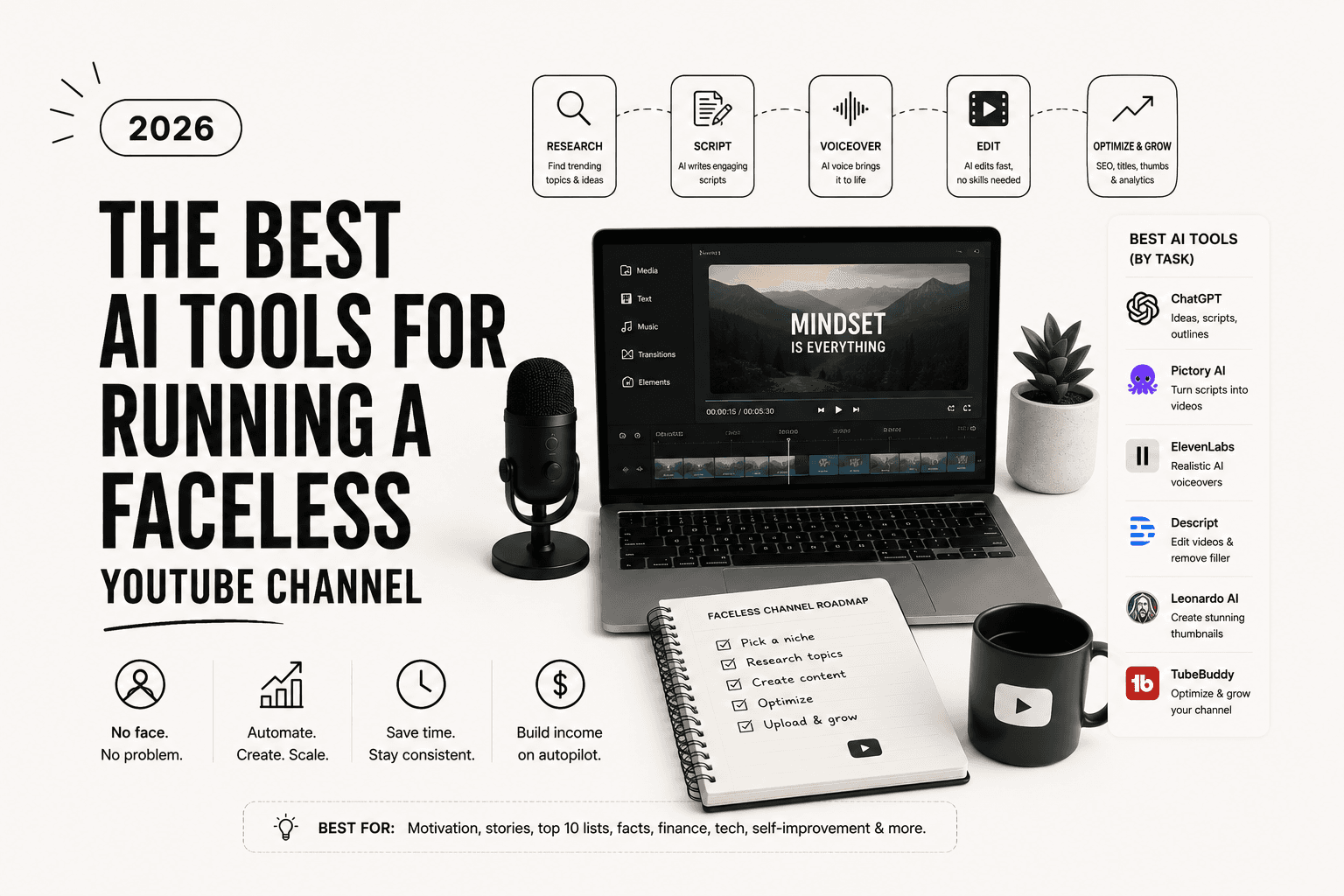
That was the moment the format clicked for me. A faceless channel is not a personality, it is a pipeline. Script goes in one end, a finished upload comes out the other, and every stage of that pipeline now has an AI tool that does the tedious part. You are not on camera, so the only thing that matters is whether the pipeline runs.
I have since built two of these as experiments, one that worked and one that flopped, and the difference was never the tools. It was the topic and the consistency. Still, the right stack removes every excuse about time. Here is the exact set I would use to start one this weekend, stage by stage.
Scripting: Claude or ChatGPT
The script carries the whole video, so this is the one stage I refuse to rush. I write a tight outline myself, then use a model to expand each beat and tighten the pacing. Do not publish raw output. Read it aloud once and cut anything that sounds like a robot clearing its throat. For alternatives worth trying, I compared a few in the ChatGPT alternatives roundup.
Voiceover: ElevenLabs
ElevenLabs is the reason this format exploded. The voices cleared the "obviously a computer" bar a while ago, and you can dial in pace and emotion per line. Pick one voice and stick with it so the channel has a recognizable sound. This is not the place to save money, a flat voice kills retention faster than a bad script.
Visuals: Runway and Pika
For anything you cannot pull from stock, generative video fills the gap. Runway handles realistic motion, Pika is quicker for stylized loops. Faceless history and "what if" channels lean on these hard. Used with restraint they look intentional. Used constantly they look like a screensaver.
Footage assembly: Pictory
Pictory takes your finished script and auto-matches stock clips to each line, which gets you a rough visual timeline in minutes instead of hours. The match is not always clever, so you will swap maybe a third of the clips, but starting from something beats starting from a blank timeline.
Editing and captions: CapCut or Opus Clip
CapCut burns in captions and trims to rhythm. If you are also cutting shorts from the long video to feed the algorithm, Opus Clip does that automatically. I go deeper on both in the video editing tools piece.
Thumbnails: Midjourney plus Canva
The thumbnail decides whether any of the work above gets seen. I generate a strong background image in Midjourney, then add text and contrast in Canva. Do not skip this. A great video with a dead thumbnail is a private video with extra steps.
The part no tool fixes
Every tool here removes friction, and none of them removes the real bottleneck: picking a topic people actually search for and showing up every week. My channel that flopped had a beautiful pipeline and a boring niche. The one that worked was ugly for the first month and chose a topic with real demand.
Build the stack in an afternoon, then spend your actual energy on the two things software cannot do for you. If you want the business side of this, the make money online breakdown covers how faceless channels get paid.
enjoyed this one?_
Get the next one in your inbox.
One email every morning. The best AI tools, reviews, and reads, decoded in five minutes.
up_next → Tools
The best AI tools for video editing in 2026 (the ones I actually use)
Seven AI video editors that cut real hours out of the work, ranked by who they suit best. From first rough cut to a polished clip in an afternoon.